
Document tabs for Office
A free, open-source add-in for Word, Excel and PowerPoint.
Documents are grouped within the same Office application instance.
Project files / Plan
Quarterly project plan
This quarter covers requirements, prototype design and initial testing. The main tasks are listed below.
- Confirm the goals and schedule
- Organise research and meeting notes
- Review progress and agree next steps
Project files / Meetings
Meeting notes
The review covered page structure, language support and the launch schedule.
- Keep blue, green and orange application accents
- Offer Chinese and English throughout
- Finish the local preview before deployment
Project files / Notes
Research notes
The add-in keeps Office’s own save and close behaviour; tab groups stay inside one instance.
- Save and close keep native prompts
- Groups are limited to one instance
- Preferences stay on the device
=SUM(D3:D5)| Item | Qty | Rate | Total |
|---|---|---|---|
| Content | 4 | 200 | 800 |
| Page build | 8 | 200 | 1,600 |
| UI checks | 3 | 200 | 600 |
| Total | 3,000 |
=COUNTA(A2:A4)| Task | Week | Owner | State |
|---|---|---|---|
| Homepage | 1 | Web | Done |
| User guide | 1 | Docs | Done |
| Release notes | 2 | Docs | Open |
| Total | 3 |
=SUM(B2:B4)| Week | Done | Open | Share |
|---|---|---|---|
| Week 1 | 2 | 4 | 33% |
| Week 2 | 3 | 2 | 60% |
| Week 3 | 5 | 1 | 83% |
| Total | 10 | 7 | 59% |
Features
Tabs, not windows
Every open document becomes a tab in the app window you are already using. Click to switch, drag to reorder.
Groups
Pull a tab out to start a group, drop it on another tab bar to merge. Groups stay inside one Office instance.
Separate windows
Send one document to its own window for a side-by-side comparison, then bring it back from the ribbon.
Widths that stay
Drag a tab’s right edge to resize it. Saved files can remember their own width.
Appearance
Blended or separate tabs, light or dark, following the Office theme.
Language
The add-in, installer and management center share one preference: Chinese, English, or follow Windows.
Management center
Manage components, tab appearance, diagnostics and updates. Component switches apply when the application restarts; appearance changes sync to running Office instances.
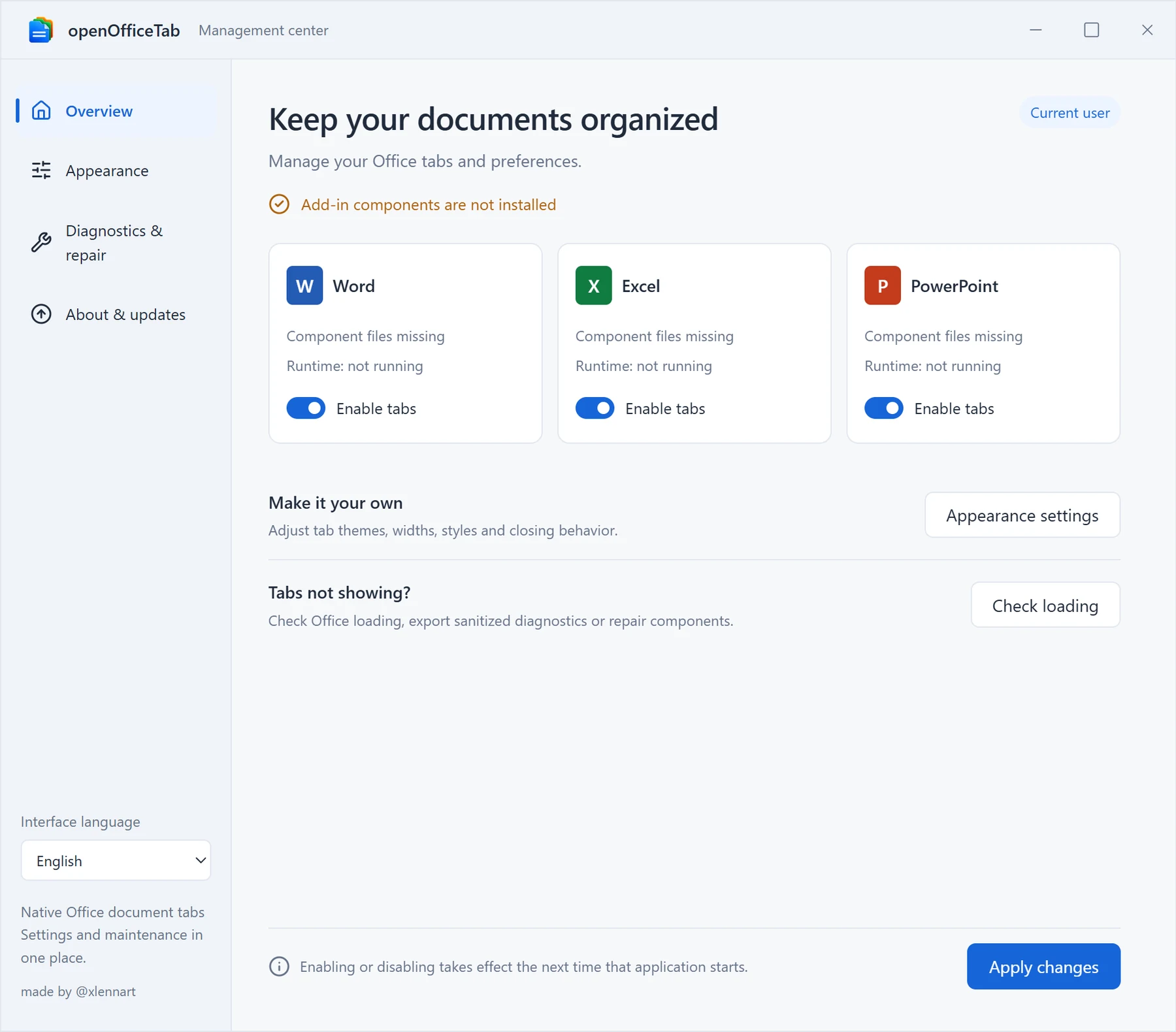 OverviewComponent state and enable switches
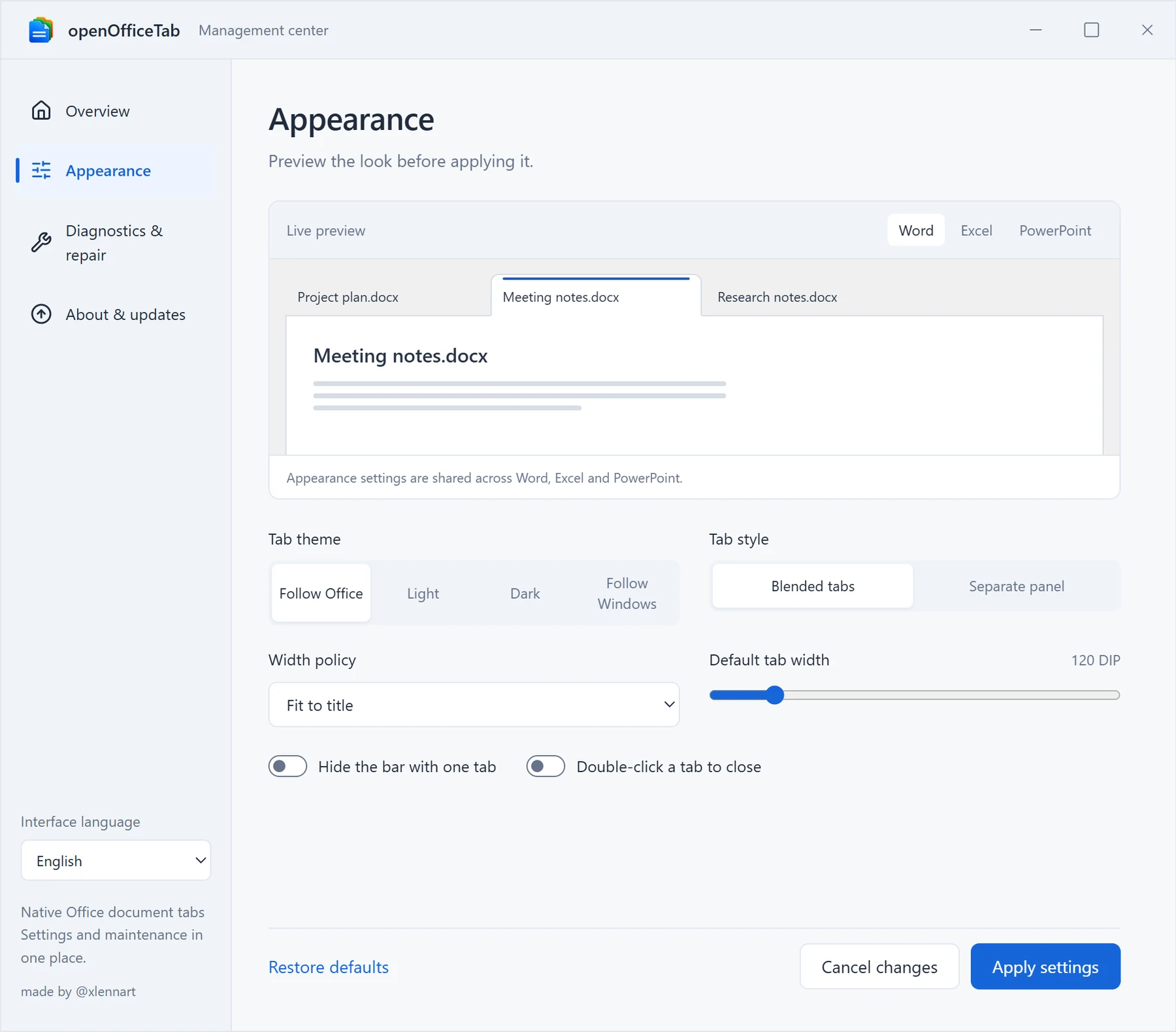 AppearanceTheme, tab style, width, language
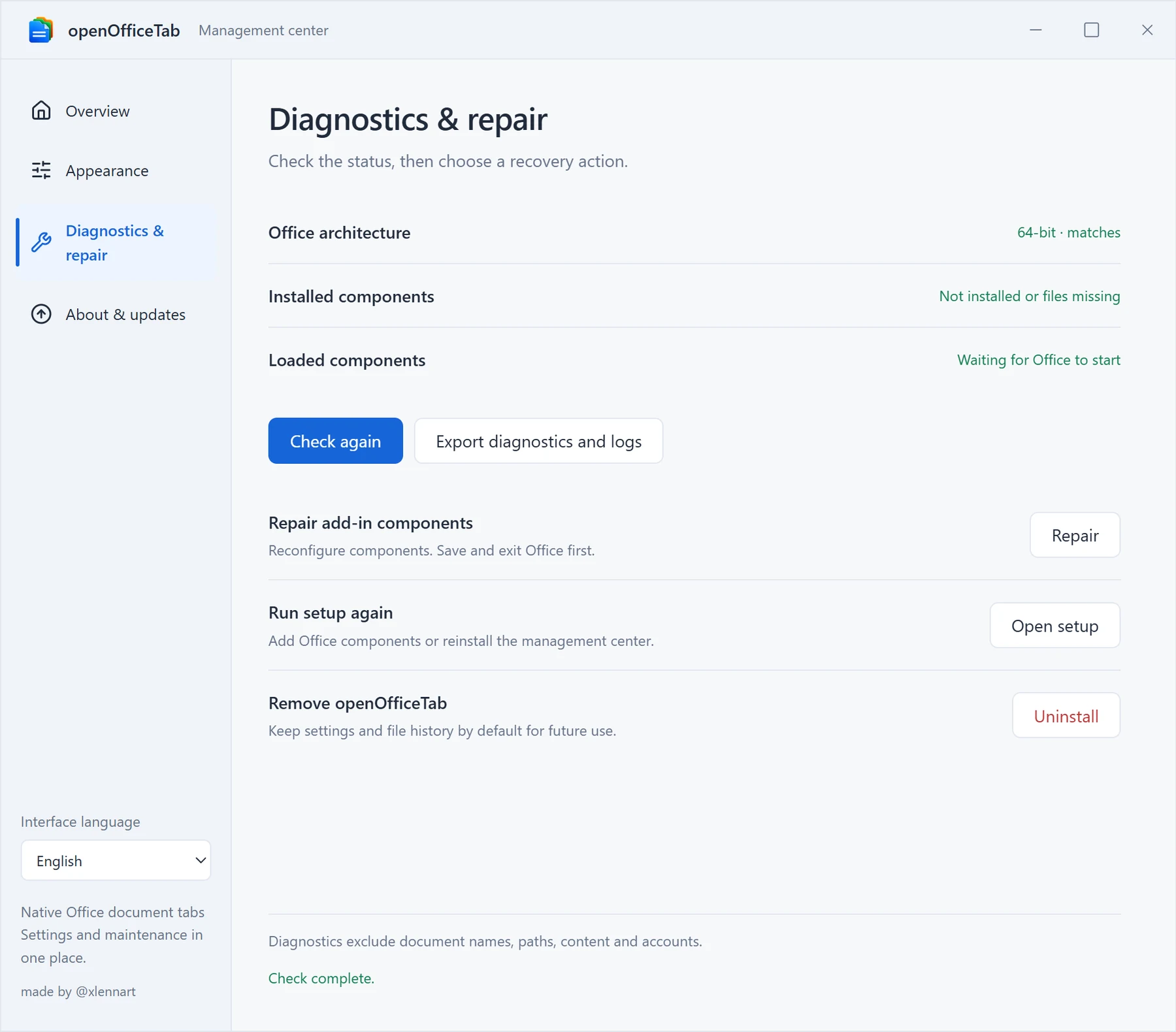 Diagnostics & repairArchitecture, repair, uninstall
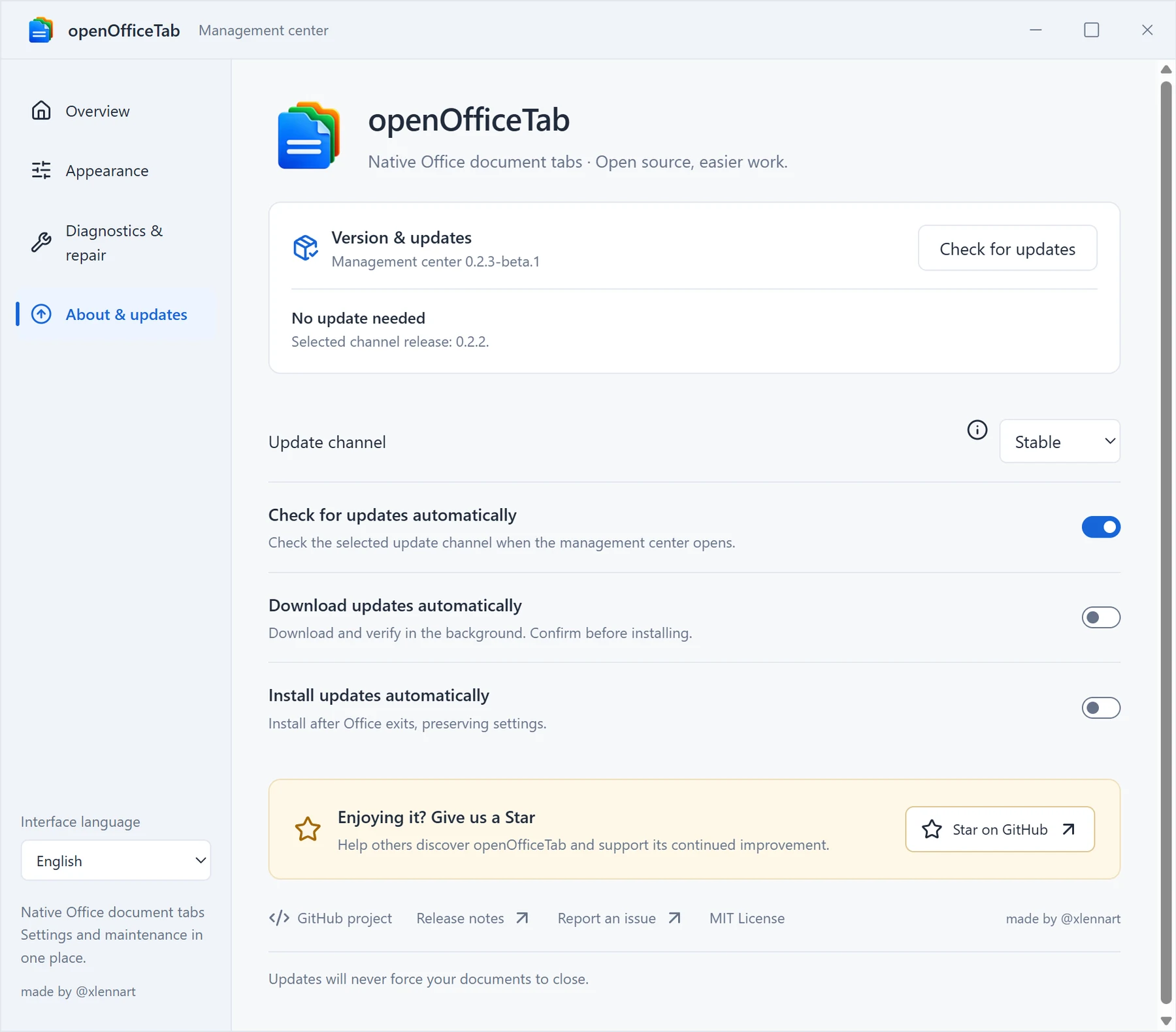 About & updatesUpdate channels and automatic updates
Windows 11 · About & updates: 0.2.3-beta.1
Install
Download
Save the installer, or extract the whole ZIP and run Install.cmd.
Close Office
Save your work and exit Word, Excel and PowerPoint. Setup will not close them for you.
Install
Choose the components you need. Per-user setup needs no administrator rights.
Open a document
The tab bar appears under the ribbon.
Common questions
01Which Office versions are supported?
Windows desktop Word, Excel and PowerPoint. The installer needs 64-bit Windows and handles 32-bit or 64-bit Office. Office on the web and macOS are not supported; ARM64 is not fully tested.
02Has 32-bit Office been tested?
Yes, in VMware on Windows 11 Enterprise LTSC 26100 (64-bit) with Microsoft 365 Apps 16.0.20527.20112 (32-bit). The host runs 16.0.20527.20088 (64-bit). These builds do not cover every Office release.
03Are my documents uploaded?
No. The add-in uploads neither documents nor diagnostics. File preferences and recently closed paths stay on the device, and path encoding is not encryption. Exported diagnostics exclude document names, paths, text, cell values, accounts and tokens by default.
04How do I uninstall or report a problem?
Save and exit Office, then choose Uninstall under Diagnostics & repair in the management center. Settings and logs are kept. To report a problem, export the redacted diagnostics there and include reproduction steps, your Office version and architecture.
Download openOfficeTab
Setup reads the Office already installed and picks the matching add-in. There is no separate 32-bit download and nothing to check first.
- Version
- 0.2.2 · 2026-10-30
- File
- openOfficetab-0.2.2-setup-x64.exe
- Requires
- 64-bit Windows
- Office
- 32-bit and 64-bit
- License
- MIT
- Signature
- Not code-signed · SHA-256 published
The installer is not code-signed. Compare its SHA-256 with SHA256SUMS.txt before running it.